AI right where you write and read
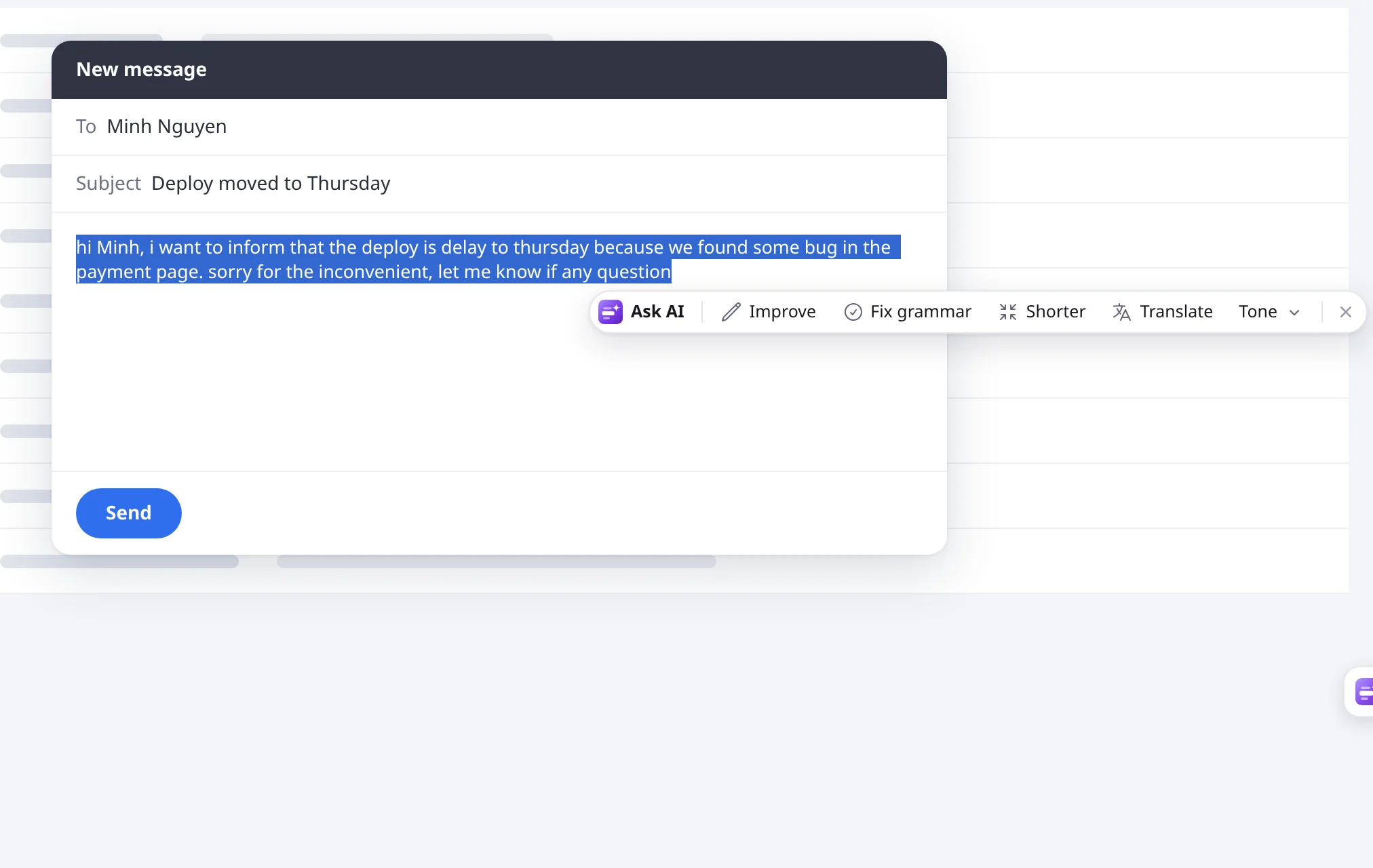
Select text on any website to rewrite it, fix the grammar, translate it or ask about it. AskAI puts the result back in the text box, so you never copy and paste between tabs.
- 10,000 free tokens a day
- Works on any website
- Use your own API key
Works wherever you type or read:
- Chat
- Docs
- Social posts
- Issue trackers
- Articles
- Any text box
How it works
Three steps, no tab switching
AskAI stays out of the way until you select something. Then it’s one hover and one click.
 1
Select text
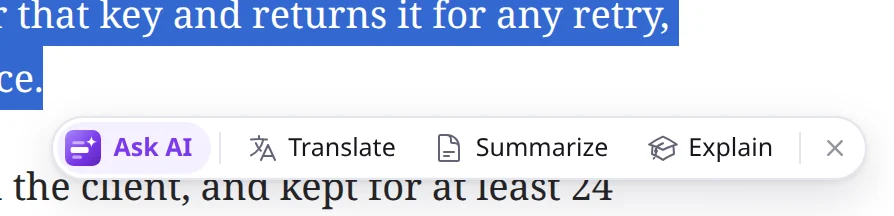
A small AskAI button appears next to it. Point at it for your quick actions.
 2
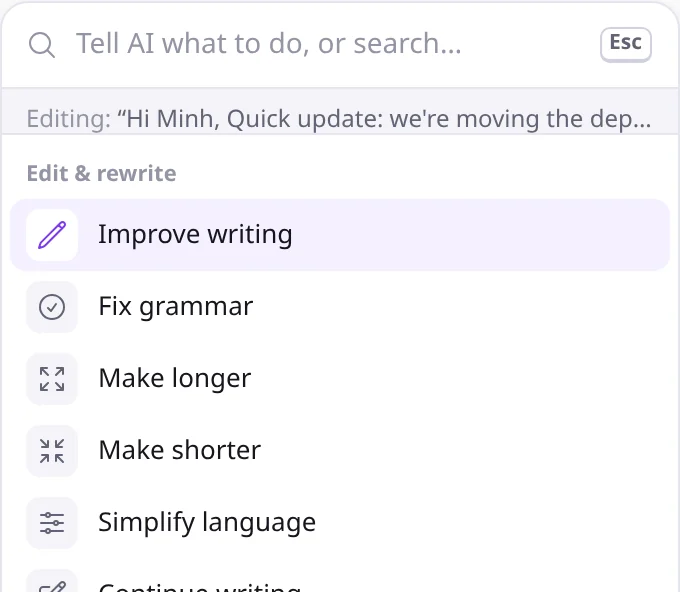
Pick an action, or type one
Improve, Explain, Translate, a tone, your own actions, or any request you type.
 3
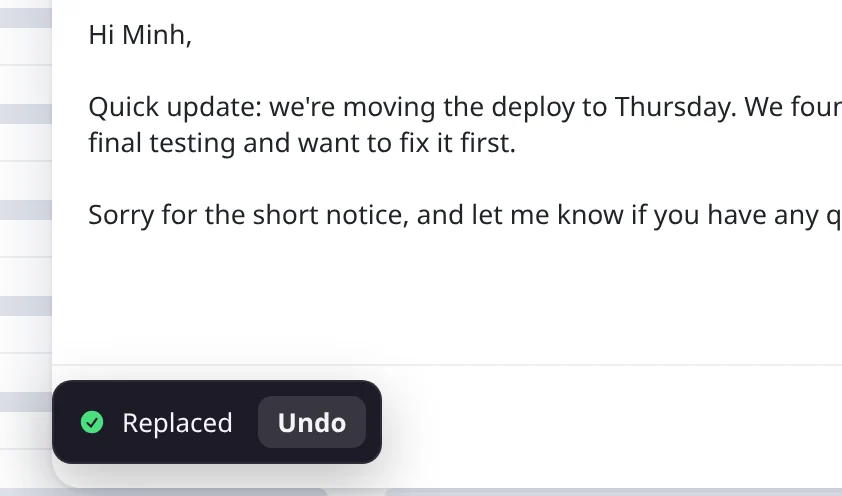
Replace, copy or keep asking
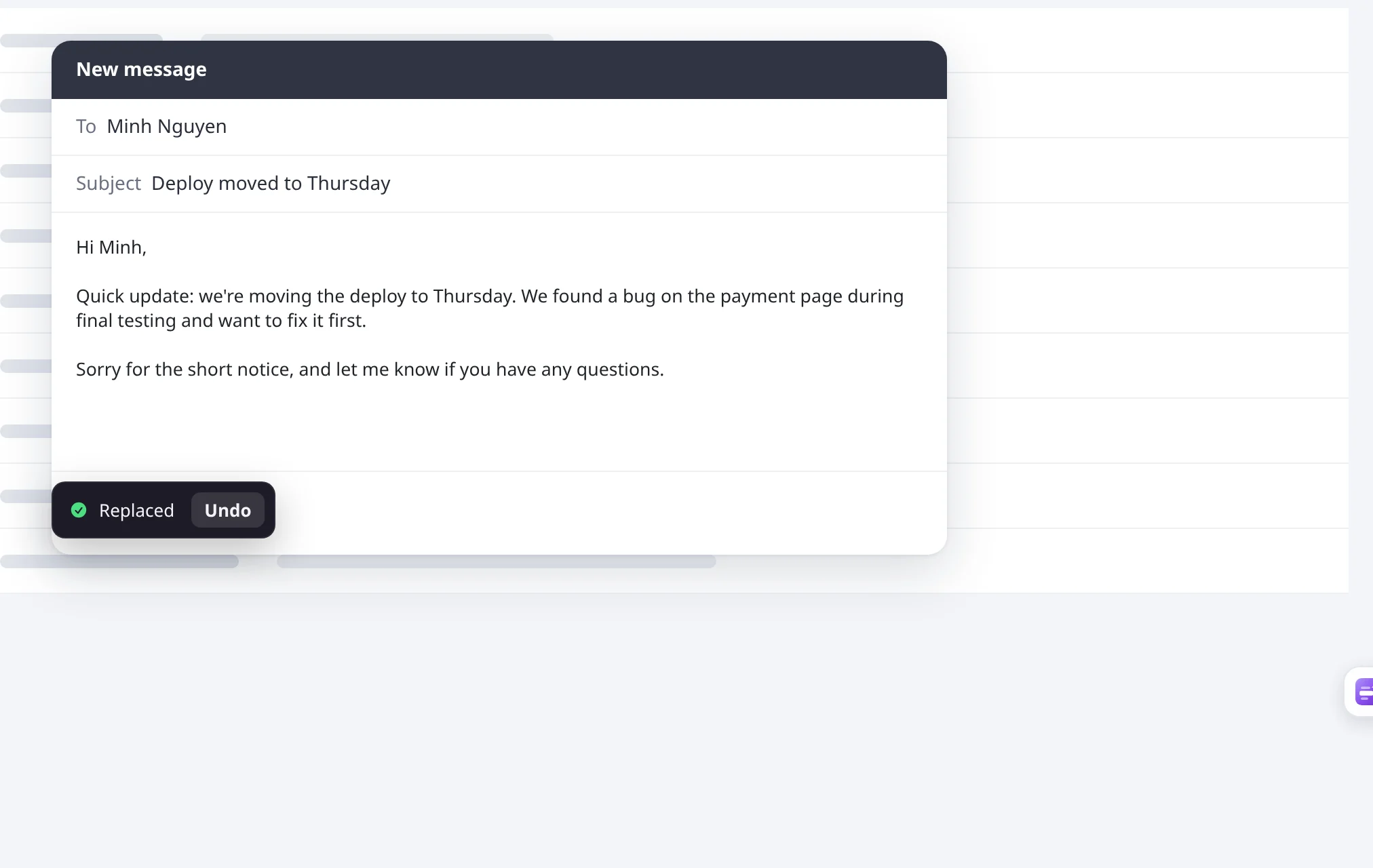
The result goes back in the text box. Undo is one click away.
Write
Better writing, right in the text box
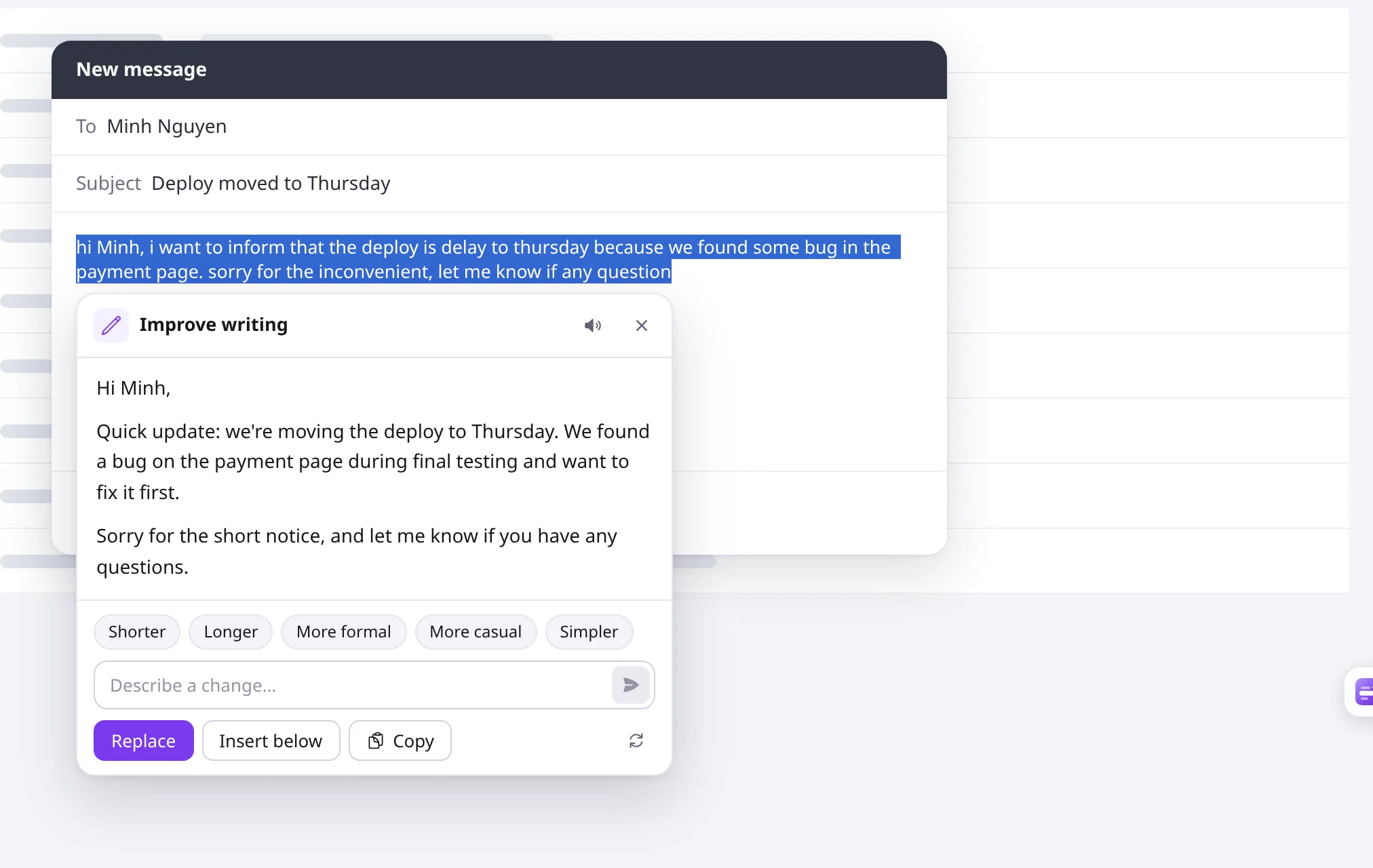
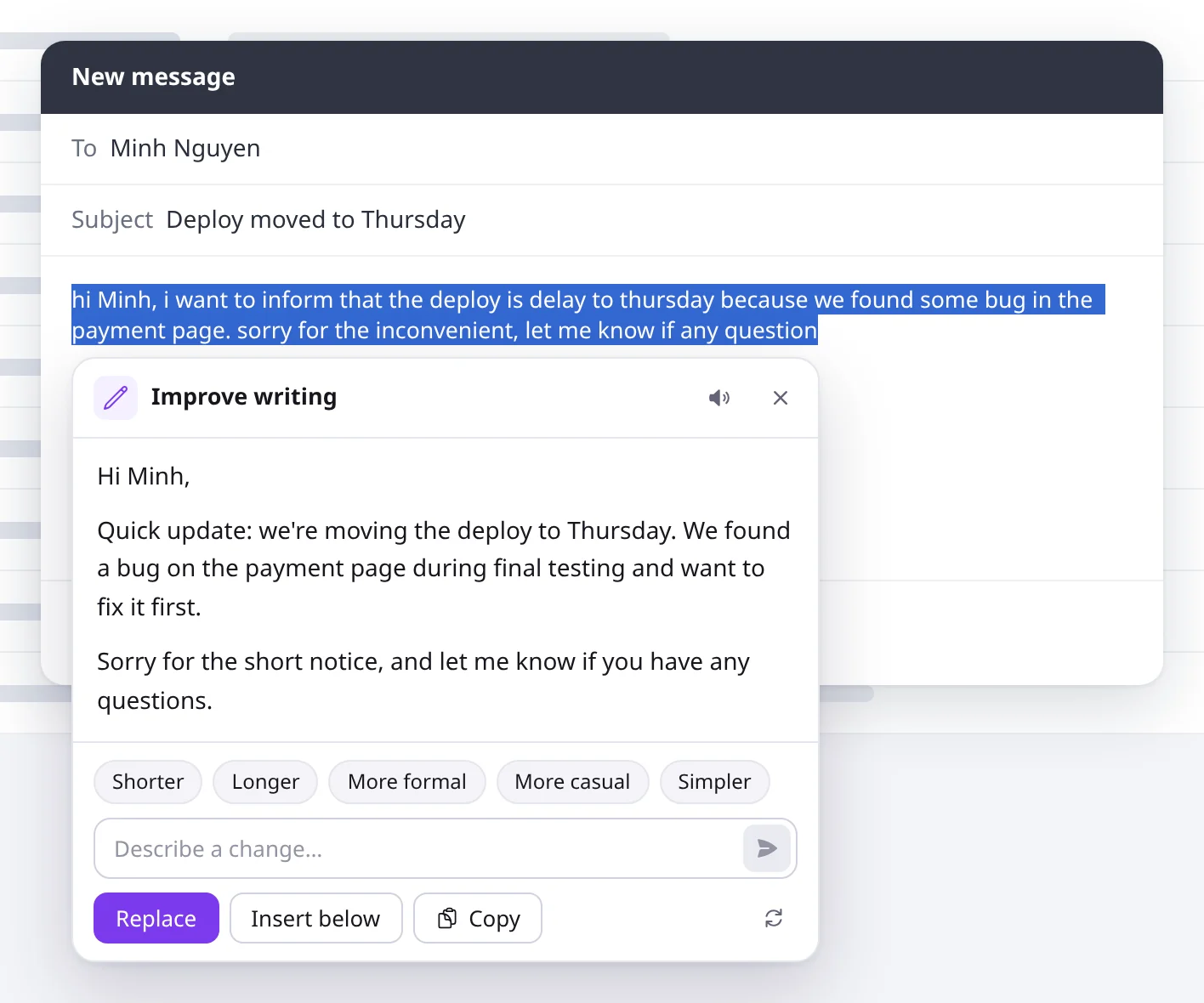
Select your draft and pick an action. Read the result next to your text, ask for changes, then replace it in one click.
- Improve, Fix grammar, Shorter, Longer, Simplify
- Four tones: professional, friendly, confident, casual
- Replace or insert below, and undo if you change your mind
Read
Understand anything you read
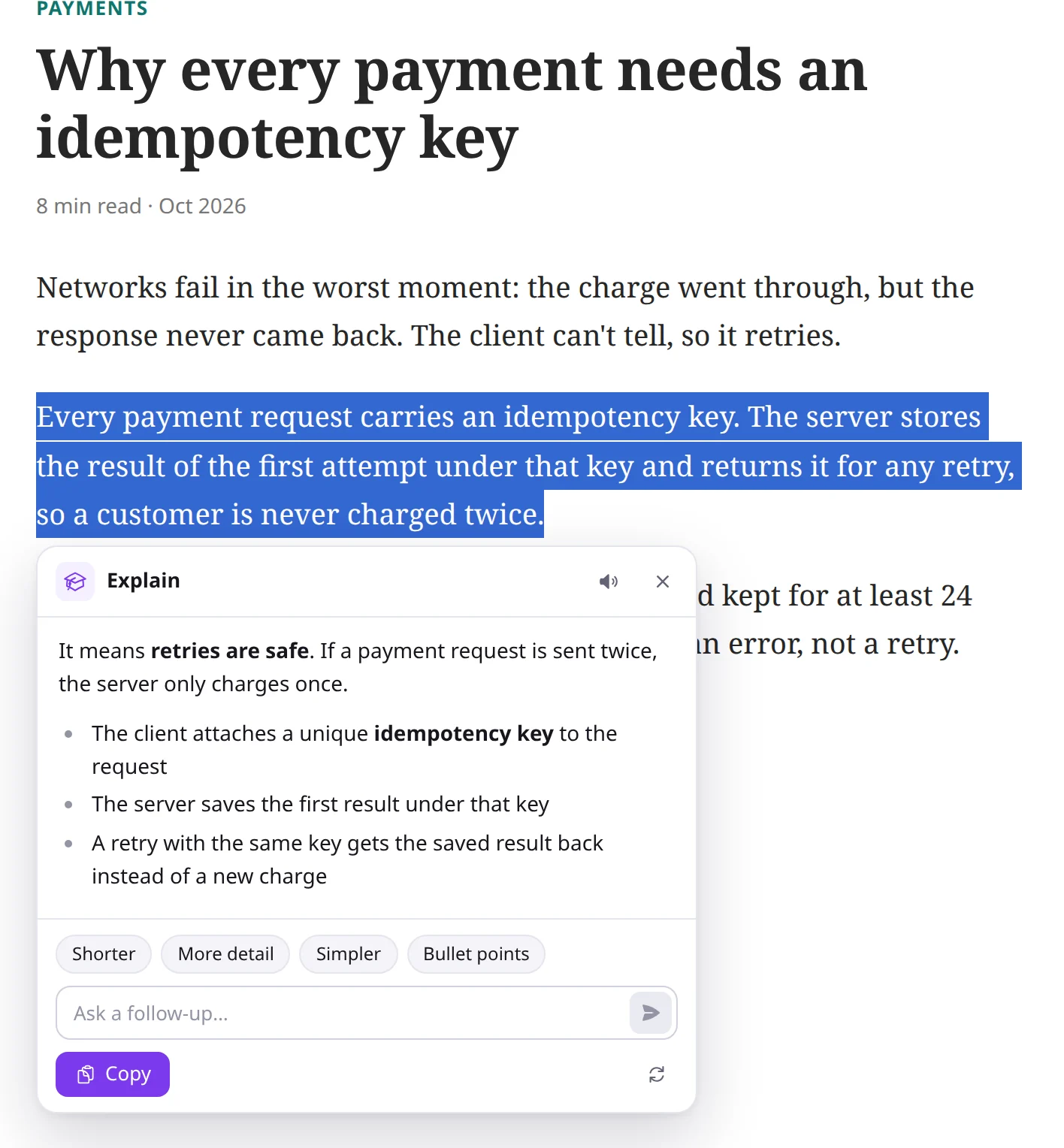
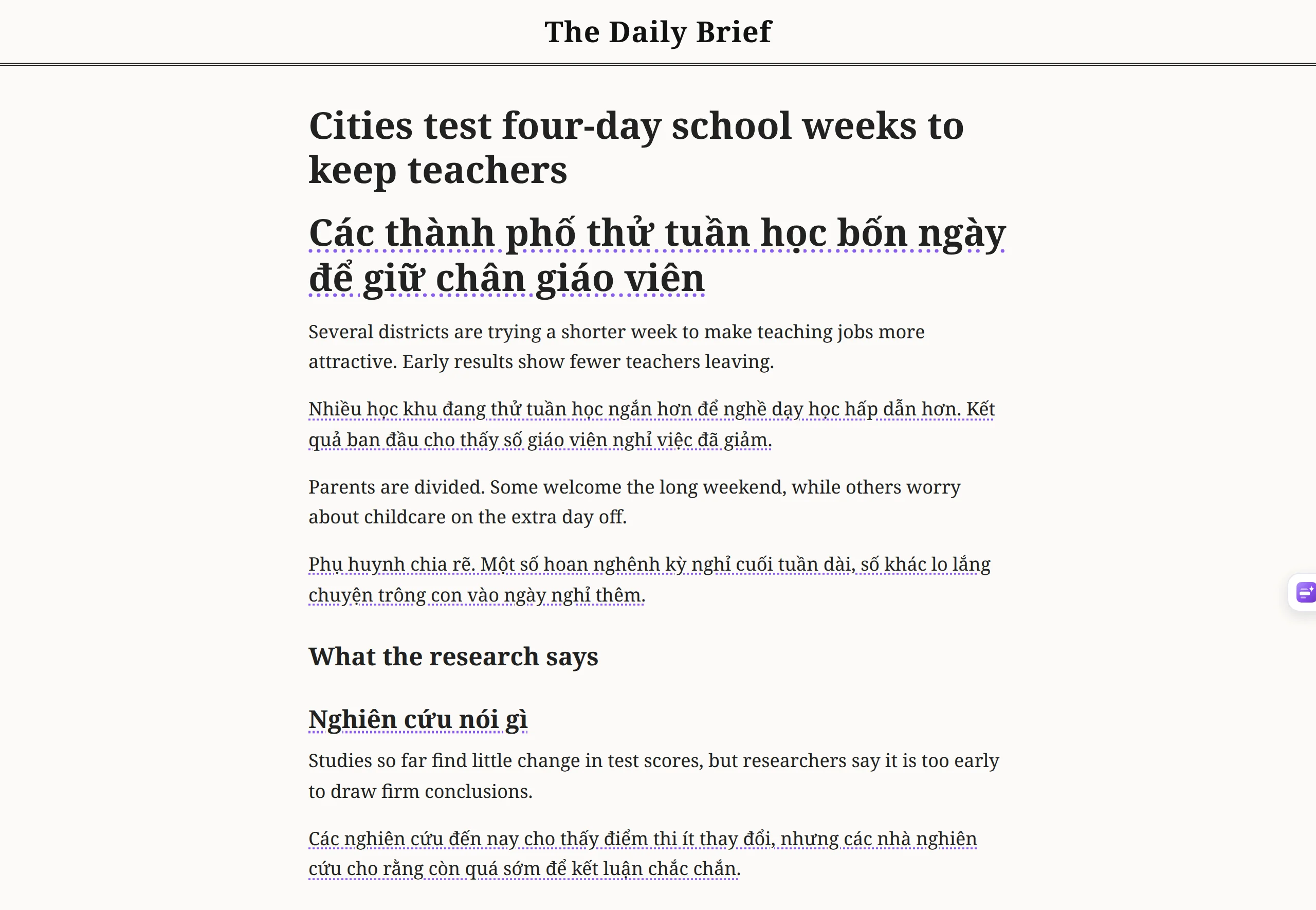
Explain a dense paragraph, summarize an article or translate a passage, without leaving the page. Ask a follow-up right next to the answer.
- Explain, Summarize, Translate, Find action items
- Follow-up questions keep the context
- Answers in the language you choose
Translate
Whole pages, side by side
Translate an entire page in one click. Read the original and the translation together, or show only the translation.
- More than 30 languages
- Bilingual or translation-only view
- Back to the original in one click, or Ctrl+Shift+F
See
PremiumAsk about anything on screen
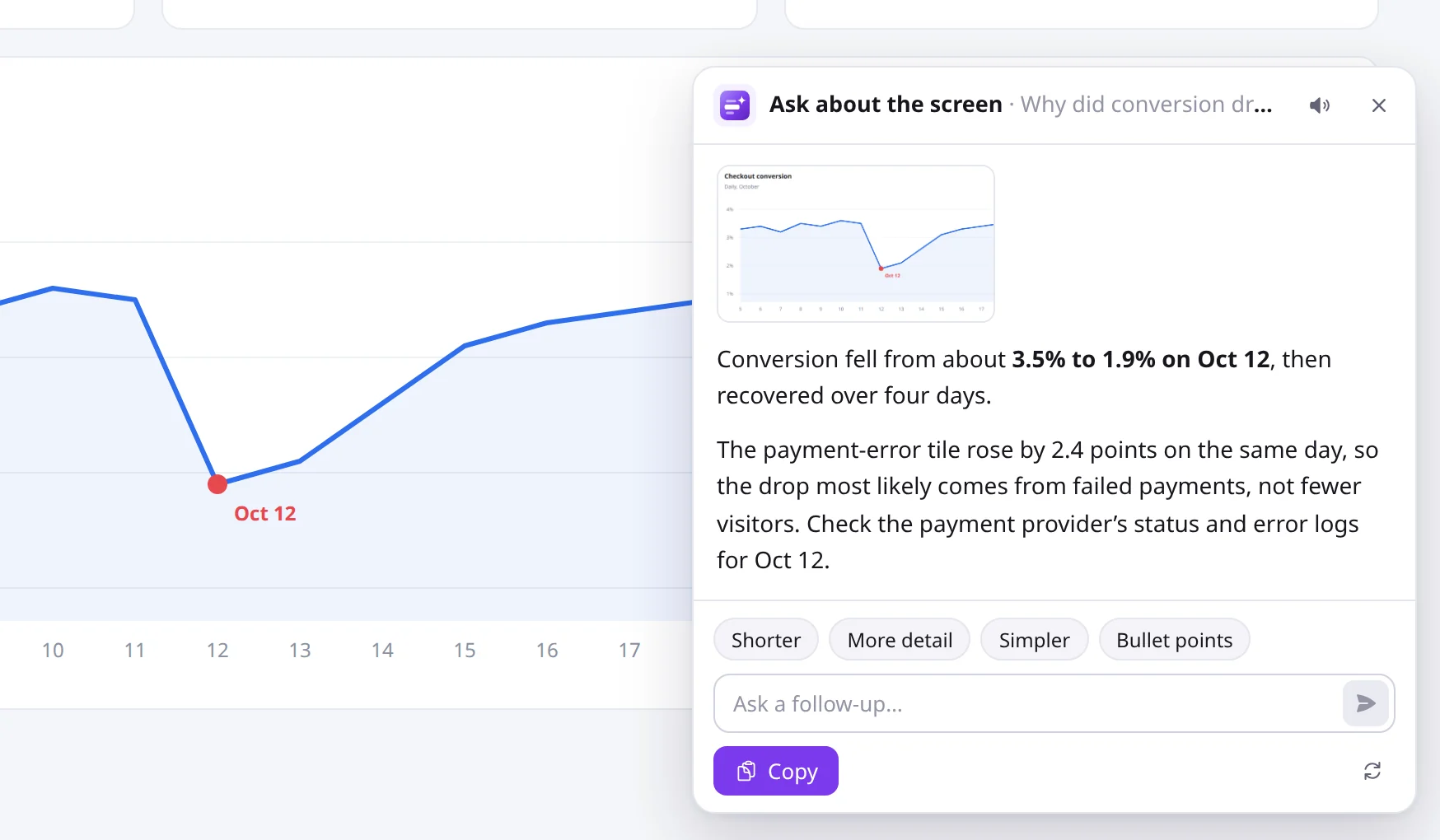
Drag over a chart, an error message or an image and ask what it means. AskAI reads the picture, not just the text.
- Charts, dashboards, error dialogs, diagrams
- Suggested questions to start with
- Ctrl+Shift+S on any page
Chat
A side panel for longer questions
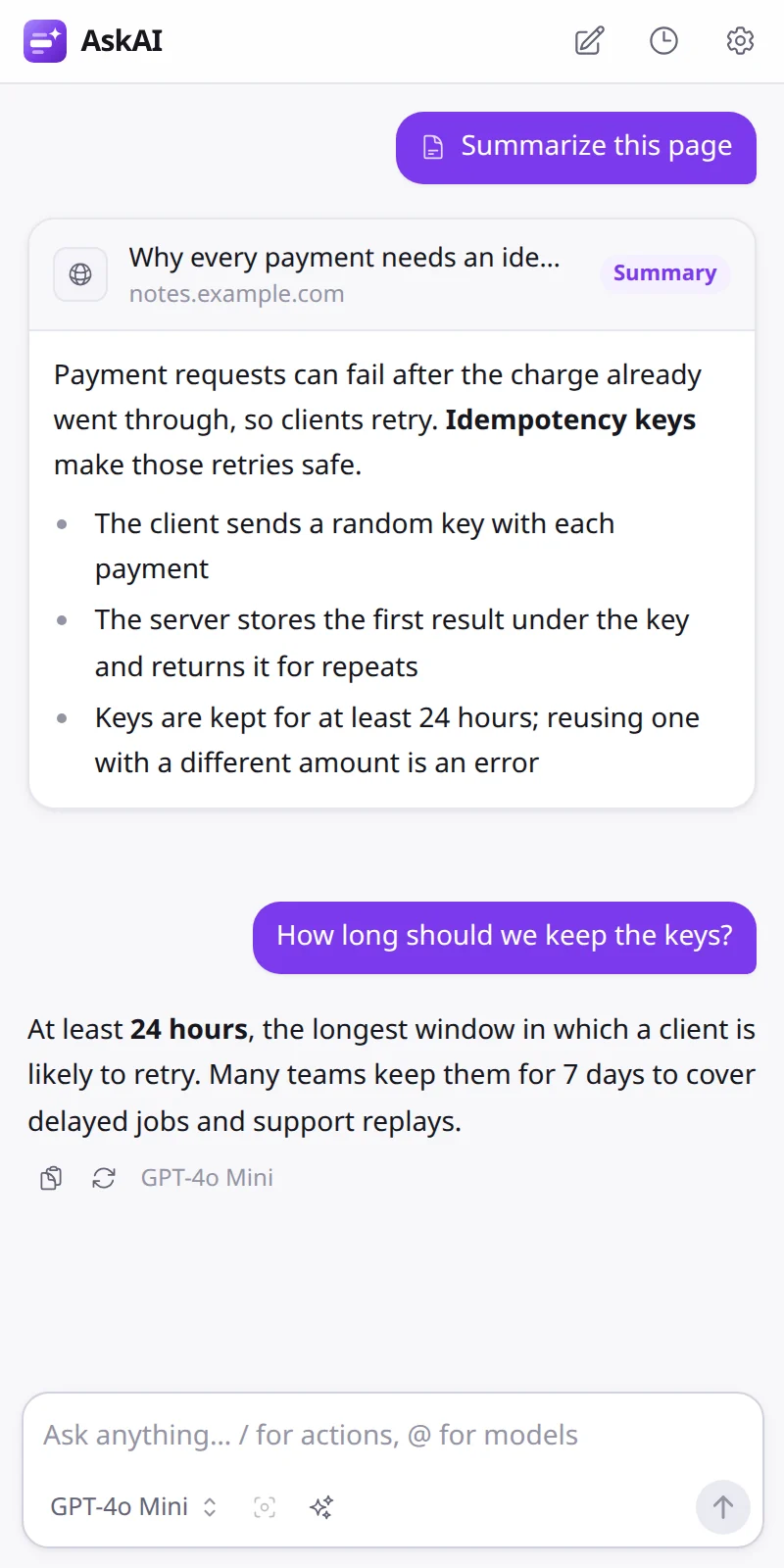
Summarize the page you’re on, then keep asking. Pick a model, attach a screenshot, or run your actions with “/”.
- One-click page summaries
- Conversation history
- Light and dark themes
Customize
Your actions, one shortcut away
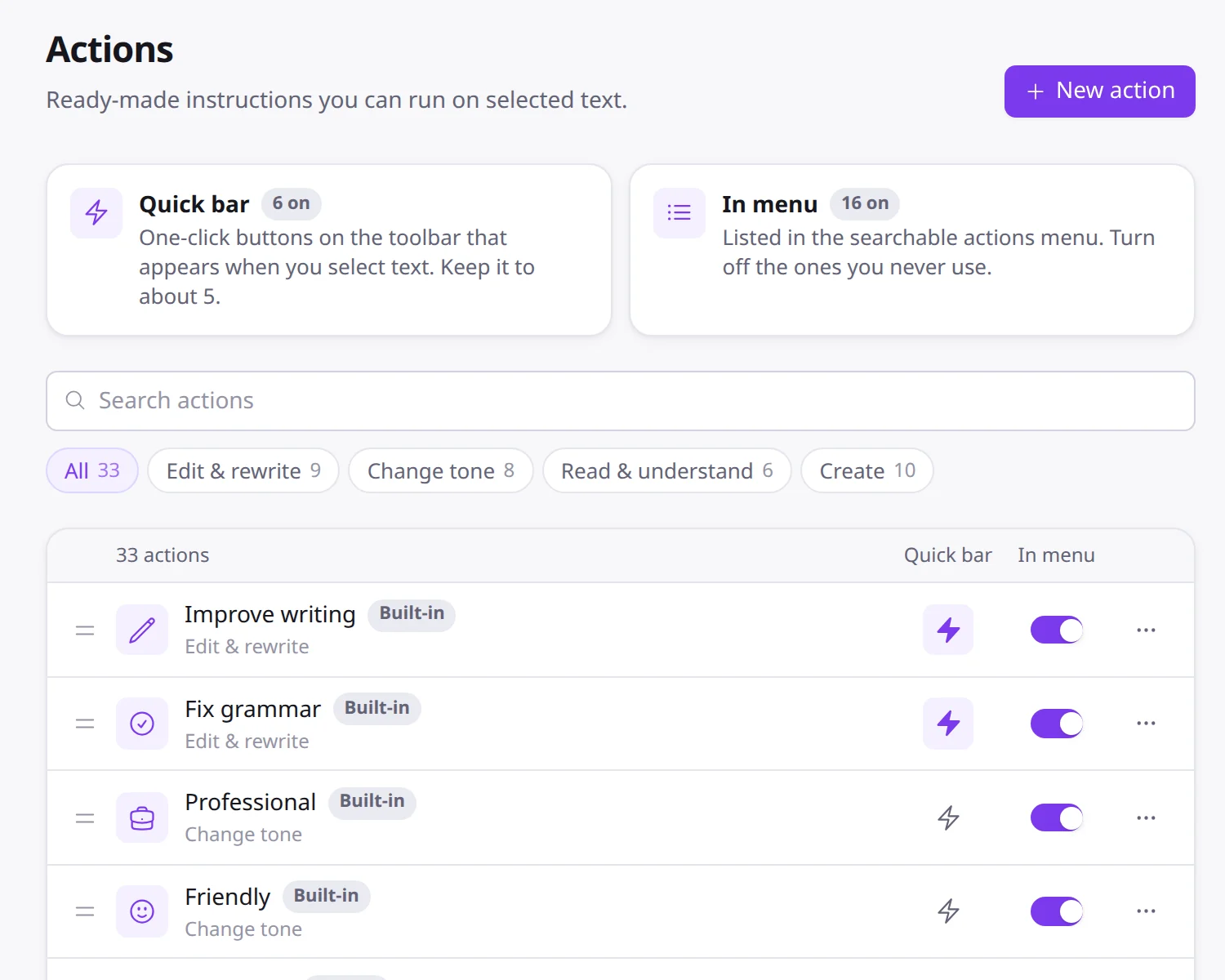
Press Alt+J on any selection to search every action, or type what you want. Turn actions on or off, pin your favorites to the toolbar, or write your own.
- 33 ready-made actions, grouped by what they do
- Write your own with your instructions
- Pin your favorites to the toolbar
Stays out of your way
Helpful when you ask, quiet when you don’t
Hide it anywhere
Hide the toolbar for now, on one site, or everywhere, from the toolbar itself.
Only when you want it
Show it on every selection, only while you hold a key, or only with Alt+J.
Never in password fields
And code editors only open it when you ask with the shortcut.
Undo every change
Every Replace and Insert comes with an Undo, right where you are.
Your keys stay with you
Your own API keys stay in Chrome and are sent only to their provider.
Light and dark
Follows your system theme on every site, or pick one in settings.
Runs on AskAI cloud, or on your own key for OpenAI, Google Gemini, DeepSeek or xAI Grok. Nothing is sent until you run an action. How we handle your text
Pricing
Free every day. Pay once if you want more.
No subscriptions. Lifetime plans and token packs are one-time purchases.
Free
Sign in with Google and start.
$0forever
- 10,000 AI tokens every day
- Every built-in action: rewrite, fix, tone, explain, translate
- Translate whole pages
- Summaries and chat in the side panel
- Up to 5 actions of your own
Lifetime Standard
Bring your own API key.
$29once
- Everything in Free
- Use your own OpenAI or Gemini key
- Unlimited actions of your own
Lifetime Premium
Everything, for good.
$59once
- Everything in Standard
- DeepSeek and Grok keys too
- Ask about part of the screen
- Read answers aloud
- Priority support
Token pack
More AI, no API key needed.
$10one time
- 10,000,000 extra tokens on AskAI cloud
- Premium features while you have tokens
- Never expires
Checkout by Lemon Squeezy. Use the same email as your Google sign-in so your purchase reaches your account.
Is AskAI free?
Yes. Sign in with Google and you get 10,000 AI tokens every day, enough for many rewrites and explanations. Lifetime plans add your own API keys and premium features, and token packs add more AI on AskAI cloud.
How do I use it?
Select text on any page. A small AskAI button appears next to it; point at it to see actions like Improve, Fix grammar or Explain, or click it to type your own request. In a text box, Replace puts the result back where the text was, and Undo brings the original back.
Where does it work?
On any website you can open in Chrome: email, chat and social sites, documents, issue trackers, articles. It never appears in password fields, and you can hide it on any site with one click.
What are tokens?
AI models measure text in tokens, roughly three quarters of a word each. Each request uses tokens for the text you send and for the answer, which counts four times. Free tokens refill every 24 hours; a token pack adds 10 million that don’t expire.
Can I use my own API key?
Yes, with a Lifetime plan or a token pack. Add an OpenAI, Gemini, DeepSeek or Grok key in the extension’s settings; requests then go straight from your browser to that provider, and you pay the provider directly.
What happens to my text?
Nothing is sent while you browse. Only when you run an action does AskAI send that text to the AI model to get the answer. With AskAI cloud it goes through our server to the model provider; with your own key it goes directly to the provider. We don’t keep your text. The privacy policy has the details.
Which languages does it support?
Actions answer in the language of your text, and Translate and Explain use the language you pick in settings. Whole-page translation supports more than 30 languages.
Can I turn it off on some sites?
Yes. Use the × on the toolbar to hide it for now, on that site, or everywhere. You can also make it appear only while you hold a key, or only when you press the shortcut (Alt+J by default).
What does lifetime mean?
You pay once and keep the plan for as long as AskAI is offered, with no subscription. It is tied to the Google account you sign in with.
Try it on your next email
Install AskAI, sign in with Google, and select some text. It takes less than a minute.