Welcome to AskAI
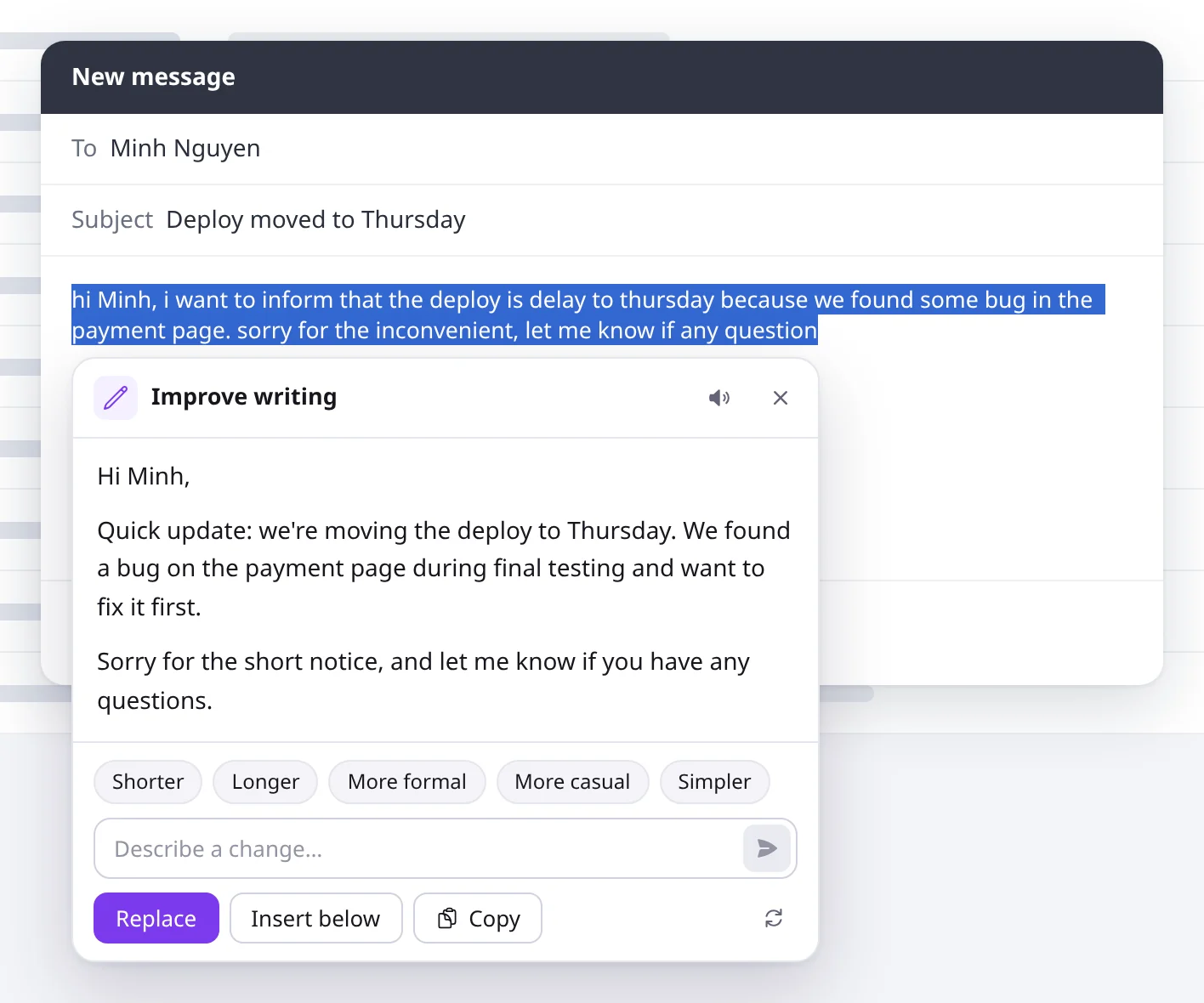
AskAI is a Chrome extension that brings AI to the text on any web page. Select text and AskAI rewrites it, fixes it, translates it or explains it. In a text box, it puts the result back where your text was.
How it works
- Select text. A small AskAI button appears next to it.
- Pick an action or type a request. Point at the button to see one-click actions such as Improve, Fix grammar or Explain. Click it to open the actions menu, where you can search every action or type what you want, like "make it sound less formal".
- Use the result. The answer appears in a card next to your text. In a text box, click Replace to swap your text for it, or Insert below to keep both. Anywhere, you can Copy it.
The Quick start walks through each step.
What else AskAI does
- Summarize a page in the side panel, then ask follow-up questions about it.
- Translate a whole page in place, keeping the original text or replacing it.
- Ask about part of the screen, such as a chart or an error message. This is part of Lifetime Premium and token packs.
- Chat with AI in the side panel while you browse.
- Create your own actions for the instructions you use often.
How AskAI reaches AI
You choose one of two ways:
- AskAI cloud. Sign in with Google and you get 10,000 free tokens every day. There's nothing to set up.
- Your own API keys. Connect an OpenAI, Google Gemini, DeepSeek or xAI Grok key. Requests go straight from your browser to the provider. This needs a paid plan.
AI models explains both, and which models you can use.
Find your way around
| Page | What it covers |
|---|---|
| Installation | Installing AskAI, the welcome tour, pinning and signing in |
| Quick start | The selection toolbar, the actions menu and the result card |
| Features | Every built-in action, and how to control where AskAI appears |
| Page tools | Summarize a page, translate a page, ask about part of the screen |
| Side panel chat | Chat, actions and model switching in the side panel |
| Custom actions | Writing and managing your own actions |
| AI models | AskAI cloud, your own keys, plans and models |
| API keys | Adding, checking and removing provider keys |
| Settings | Every option on the settings page |
AskAI is made by Dialogix App. If something doesn't work as described here, contact us.